




Spinmaya Login
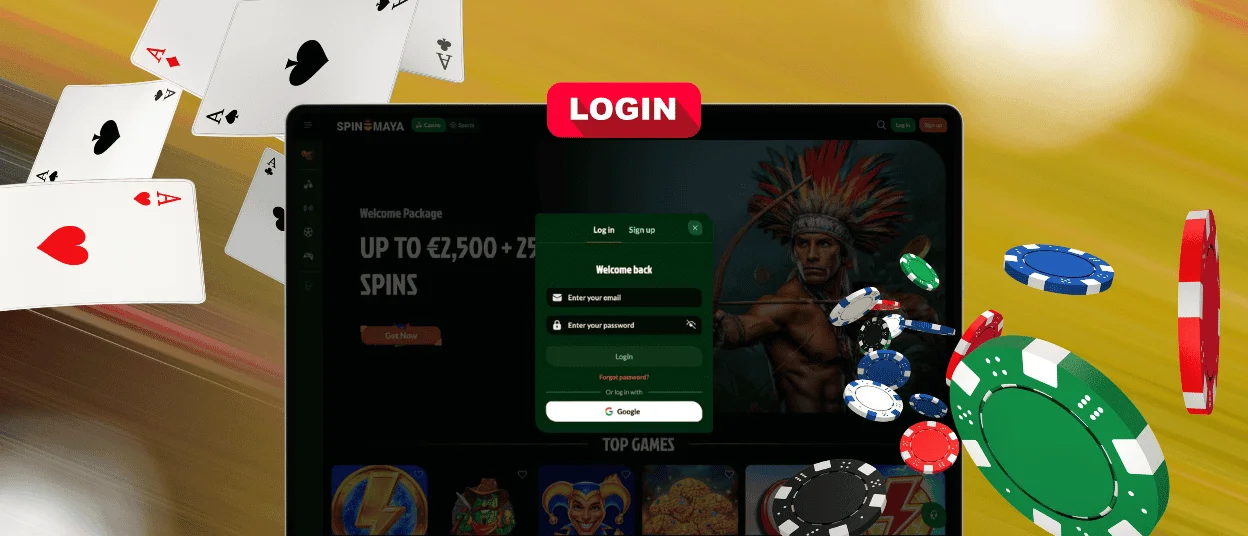
Spinmaya Login gives players a secure place to create an account, sign in, manage funds, and play games. The Spinmaya login provides direct access to your profile, payments, bonuses, and support tools. At Spin Maya, we keep account access clear, practical, and focused on safe play.



Open Your Spin Maya Account
A Spinmaya account unlocks the complete player area. After registration, you can use the cashier and claim available promotions. The same account gives you access to the game lobby, balance information, and customer support. Our game categories include slots and live dealer tables. Sports betting is available in supported regions.
Registration protects your profile and makes account management smoother. You can update your details, make supported payments, and track transactions from one secure area. We protect customer data with TLS encryption. You must keep your login details private.
Our Support Team provides payment guidance, bonus information, and account access assistance through the available contact channels. We offer regional versions of the site in multiple languages, so players can use Spin Maya in a language they understand.
Steps to Register at Spinmaya
- Click Sign Up in the upper-right corner.
- Enter the required personal information and provide a valid email address.
- Create a strong password that you do not use for another account.
- Review every detail before submitting the form. Accurate information supports account verification and future withdrawals.
Access and Manage Your Spinmaya Account
Registered players open the account dashboard through the Spinmaya login button. Sign in on our official website with your email or username and password. The dashboard gives you direct access to your profile and balance. It also lets you open the cashier, follow payments, and track bonus activity.
Spinmaya login also provides you with control over account security. Never share your password and always log off when you are finished using a shared computer. Use our official website or app page. Never click account links in unknown messages.
- Profile: Review your contact and personal details. Accurate information is needed for customer service and account validation.
- Cashier: Deposit, make withdrawals, and view payment options. Transparent transaction procedures mean you keep control of your money.
- Bonus section: View active offers, wagering rules, and your bonus balance. Check the terms before you play.
- Game lobby: Access open slots, live casino games, and sportsbook sections from your account.
- Help section: Try the live chat or email option, which is available in the Help section. Our Support Team can help with account access, payments, and account queries.
Spinmaya Casino keeps the account area simple so players get answers quickly. The cashier displays payment options, and the balance area separates real-money funds from bonus funds when the account uses both balances. The access area also includes recovery tools when you cannot open your profile.
Reset Your Spinmaya Password
Open the Spinmaya login window and select password recovery. Enter the email address linked to your account. Follow the reset instructions and create a strong password with letters, numbers, and symbols.
If you don’t receive the reset email, look in your spam folder. Then reach out to our Support Team and include a clear explanation of the problem. Spin Maya Support verifies account ownership before restoring access.
Verify Your Spinmaya Account
Spinmaya Casino uses verification to protect players, secure payouts, and follow Know Your Customer rules. The process checks documents that confirm your identity, address, and payment method.
Prepare the following documents and checks:
| Verification item | Accepted document | Purpose |
| Identity document | Passport, ID card or driving licence | Confirms your name and date of birth |
| Proof of address | Utility bill, bank statement or official letter | Confirms your address |
| Payment proof | Payment screenshot or card photo | Confirms the payment method when Support requests it |
| Identity selfie | Selfie with your document | Completes an extra identity check when Security requests it |
Upload clear documents showing all four corners. Make sure the text is easy to read and the name is the same as your Spinmaya account. We do not accept damaged, unclear, expired, or documents that have different information from what you have on your profile. If they need more information, the KYC team will ask for further checks. It keeps accounts secure and reduces fraud.
You can still access many account features while you are reviewing documents. Withdrawals are subject to approval. Get your documents ready in advance and try to use the same payment path for your withdrawals to speed things up.
It’s easier to check with the same account info. Use the same name on your profile, identity document, and form of payment. Do not crop the sides of the photograph, or obscure details unless specified in the instructions. If a document fails, please read the message carefully and upload a clearer file.
Spinmaya Account FAQ
Can I Change My Account Currency?
Yes. Spinmaya gives players the ability to choose a different currency and have multiple balances in one account. Currency settings are available in the wallet after login.
How do I close or temporarily suspend my Spinmaya account?
Spinmaya offers self-exclusion tools for players who want to quit gambling for some time or for good. Under our self-exclusion policy, you can request a period from 3 months to 5 years or choose indefinite exclusion.
How do I update my password or email address?
Update your password or email address directly in the Profile section. Confirm the change before it goes into effect. This security step helps protect your account and makes sure important account messages go to the right email address.


